

Online Booking
Let Customers Book Online, Day or Night
When someone finds you at 9 at night, they shouldn’t have to wait until morning to get on your schedule. With online booking, customers pick a time on your website, get a confirmation right away, and get a reminder before the appointment. It comes with every plan, Core included.
Try It on Our Own Website
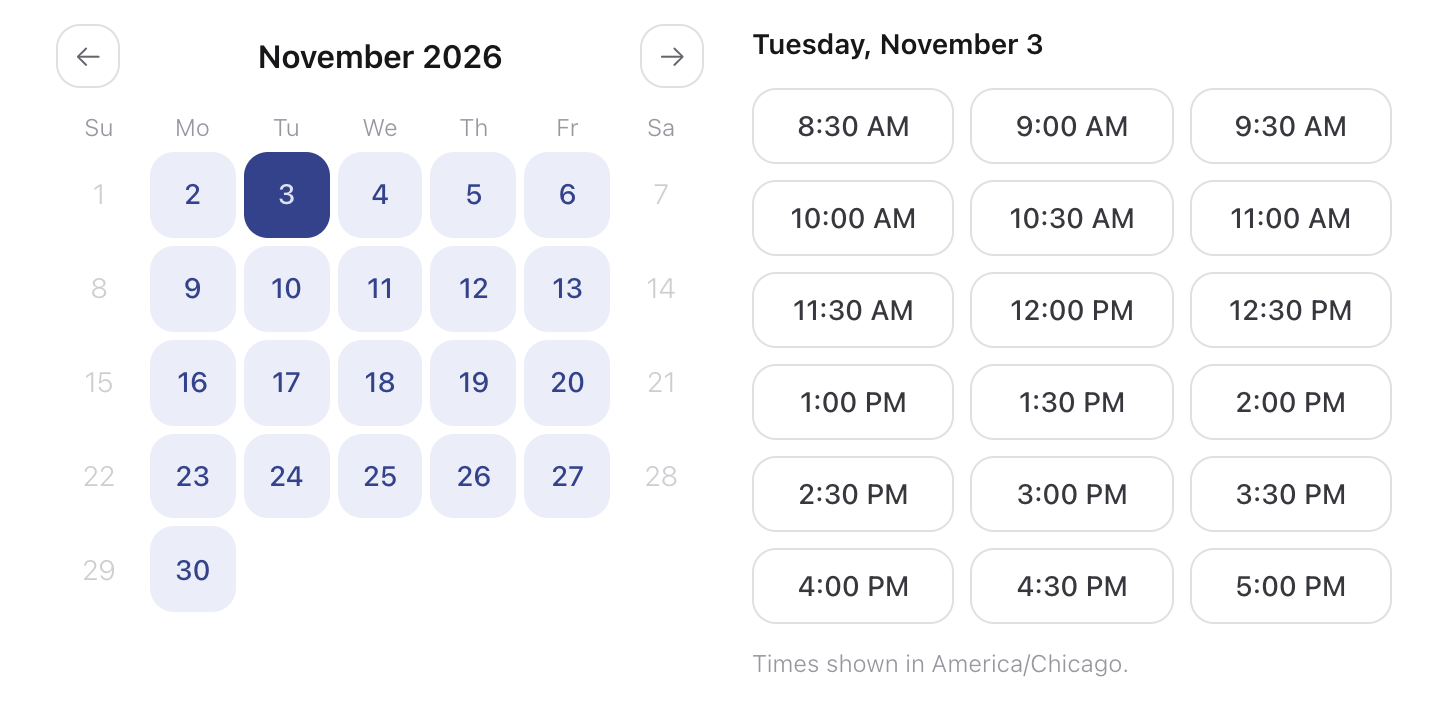
Our Book a Call page runs on the same booking system your website gets. Pick a service, then a day, and the open times appear. A time that’s already taken never shows up, so nobody gets double-booked.
The open times follow your real hours, how much notice you need, and how far ahead you take bookings. Everyone who books gets a confirmation email with a calendar invite right away.
Book a free call with usScreenshot of the WebProJoe booking page, October 29, 2026.
Service Calls With Arrival Windows
Trades don’t promise 2:15. They promise a window. Switch your booking to service calls, and customers request a visit in a few short steps, then pick a morning, afternoon or evening window that still has room.
Service calls are never paid online. If you charge a service-call fee, it shows as due at the visit.
Pick an arrival window
Tuesday, November 3
Arrival windows as an electrician’s booking page shows them.
What Every Booking Comes With
Appointment or service call, the details are taken care of.
Instant Confirmation
Customers get an email the moment they book, with the details and a calendar invite they can add in one tap.
Automatic Reminders
A reminder email goes out before every appointment, a day ahead unless you choose otherwise. Customers who ask for a text reminder can get one too.
Easy Rescheduling
The confirmation has a link to reschedule or cancel without calling you. You decide how close to the appointment changes are allowed.
Every Booking Is a Lead
Each customer’s name, email and phone number is saved in your website’s dashboard, along with every booking they’ve made.
Your Hours, Your Rules
Set your hours, closed days, how much notice you need, how far ahead people can book, and time between jobs.
On Your Phone’s Calendar
Everyone on your team gets a private calendar link, so new bookings show up in the calendar app they already use.
How it works
How We Set Up Your Online Booking
Tell us how you schedule today, and we take it from there.
Tell us how you work
Your services, your hours, and whether customers book a set time or an arrival window. For service calls, the area you cover.
We set it up on your site
We add your booking page, Book Online buttons, and the questions you want answered before every visit.
Bookings come in
Confirmations and reminders go out on their own, and every booking shows up in your dashboard.
Included on every plan, Core included.
Questions About Online Booking
Still have a question?
Contact us